Where the Projector Has to Go: Throw Distance, Lens Shift and Keystone

Short answer

Work out the throw distance first: image width equals distance divided by throw ratio. Then check the projector can be off the screen's centre line by however much your room forces, using optical lens shift. Digital keystone can also do it, and it costs you resolution every time.

Throw distance is the first constraint, not the last

A projector's throw ratio is the distance from the lens to the screen divided by the image width. A 1.5:1 ratio means a 100-inch 16:9 screen — 87 inches wide — needs about 131 inches, near enough 11 feet, of clearance. A zoom lens turns that into a range: a 1.6x zoom over a 1.35 to 2.16 ratio puts the same screen anywhere between about 10 and 16 feet out.

Measure the room before shortlisting projectors. If the only mounting point is 9 feet from the wall and you want a 120-inch screen, you need a projector whose throw ratio can go down to about 0.9, which rules out most of the home-theater tier and points you at short throw. Every projector page here computes the range both ways from the maker's own throw ratio.

Lens shift is the spec that decides whether the install looks right

Projectors have a fixed vertical offset: the image does not come out centred on the lens, it comes out above or below it depending on orientation. Optical lens shift moves the lens assembly relative to the imaging device, sliding the image up, down or sideways with no distortion and no loss of resolution. It is the difference between a projector you can put where the room allows and one that has to sit on the screen's centre line.

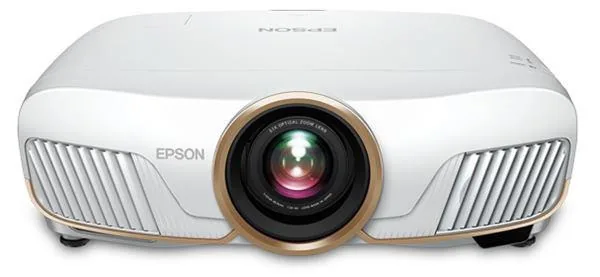
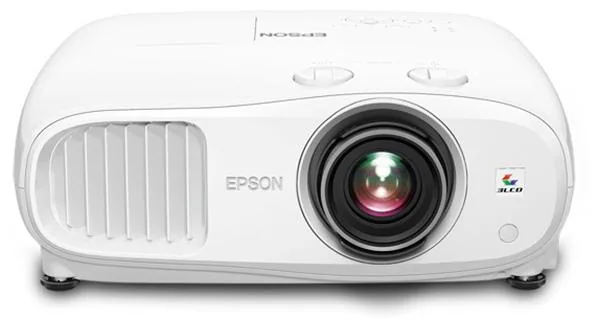
Ranges vary enormously. Some projectors in this catalog have none at all. Some offer ±10% vertically, which is enough to clear a coffee table. The 3LCD and LCoS home-theater models go to ±96% vertical and ±47% horizontal, which will hit a screen from almost any shelf, ceiling or back-wall position. If the mounting position is constrained, this is the spec to shop on.
Keystone correction, and why to avoid it

Digital keystone correction squeezes the image in software to compensate for a projector that is not square to the screen. It works, it is on almost every projector sold, and it costs you pixels: the correction throws away part of the imaging device's resolution and resamples the rest, which softens the picture. On a 4K projector you are discarding some of what you paid for.

Automatic keystone on lifestyle and portable projectors is a genuine convenience and the right call for something you move around nightly. On a permanently installed projector it is a sign the install is wrong. Square the projector to the screen, use optical shift for the offset, and leave keystone at zero.

Correction methodResolution costUse it when
Optical lens shiftNoneAlways, if the projector has it
Physical repositioningNoneAlways possible, often inconvenient
Digital keystoneReal, proportional to the correctionPortables and anything you move nightly
Four-corner / warpingHighestOdd surfaces, last resort

The other things that bite on install day

Ceiling height and the mount drop: a projector hanging 18 inches below an 8-foot ceiling is 6.5 feet up, and a 120-inch screen's top edge is near 7 feet. Those numbers have to be reconciled before anything is drilled. Check what the lens's vertical offset actually is in ceiling orientation; many projectors throw well below their own axis when inverted.

Then power and signal. A ceiling-mounted projector needs an outlet at the mount and an HDMI run that will pass whatever bandwidth you need — a 4K/120 signal over a long run is a real cable problem, not a theoretical one. And leave service clearance: a lamp-based projector will need its lamp changed, and the filter on almost any projector needs cleaning.

Projectors this comes up with

Related

  • How Big a Screen Should You Get? Start With the Room, Not the Projector

    For 4K content, a screen diagonal of roughly 0.6 to 0.8 times your seating distance fills the field of view the way a cinema does — around 110 to 145 inches from 12 feet back. Then check the projector can physically make that size from where it can sit: image width equals throw distance divided by throw ratio.

  • Do You Need a Projector Screen, or Will a Wall Do?

    A flat, smooth, matte white wall works, and in a dark room the difference between it and a mid-priced white screen is small. A screen earns its money in two situations: when the room has light you cannot control, and when the wall is textured, off-white, or not flat.

  • How to read a projector spec sheet

    Every specification explained, with the real numbers from the catalog.