Do You Need a Projector Screen, or Will a Wall Do?

Short answer

A flat, smooth, matte white wall works, and in a dark room the difference between it and a mid-priced white screen is small. A screen earns its money in two situations: when the room has light you cannot control, and when the wall is textured, off-white, or not flat.

What a screen actually does

A projection screen is a controlled reflector. Three things separate it from drywall: gain, which is how much of the light it sends back toward the seats rather than scattering everywhere; uniformity, which is whether the whole surface reflects the same way; and the black border, which is doing more work than it looks like it is.

That border is the underrated part. Human contrast perception is relative, and a black velvet frame around the image makes the picture's own black level look deeper than the same image thrown onto a bare wall. It is the cheapest contrast improvement available to a projector, and it is the reason a $150 fixed-frame screen often looks like a bigger upgrade than the specification sheet suggests.

When the wall is genuinely fine

If the room goes properly dark, the wall is smooth, and the paint is a flat or matte white, you are giving up very little. Semi-gloss and eggshell are the problem, not the colour: a shiny wall produces a hotspot, a bright blotch centred on where the lens is pointing, which no amount of brightness fixes.

Textured walls are the other disqualifier. Orange peel and knockdown texture scatter light at the scale of the texture, which softens fine detail — and on a 4K image, fine detail is what you paid for. Run your hand across the wall. If you can feel it, you will see it.

Grey walls, grey screens, and what they really do

Painting a wall grey is the most common piece of projector advice on the internet and it is half right. Grey lowers the reflected black level and the reflected white level by the same proportion, so on-off contrast ratio does not change at all. What grey does is reduce the light that bounces off the screen, hits the ceiling and walls, and comes back to wash out the image — and in a room with light-coloured surfaces that indirect path is where most of your contrast goes.

So grey helps in a bright or light-coloured room and costs you brightness in a blacked-out one. If the room is a real cave with dark walls, white is the better surface. If the room is a normal living room, a grey surface or a light-rejecting screen is doing something real.

The one case where the screen is not optional

Ultra-short-throw projectors are the exception. A UST sits inches below the screen and fires upward at an extreme angle, so any light in the room arriving from the front or the sides hits the surface at a completely different angle from the projector's light. That geometry is what a UST-specific ambient-light-rejecting screen exploits: its lenticular surface accepts light from below and rejects light from above and the sides.

The practical consequence is that a UST on a bare wall throws away most of what you paid for, and a UST on the wrong kind of ALR screen — a standard angular-reflective one meant for a ceiling-mounted projector — can look worse than the wall. Match the screen to the projector geometry, not to the price.

Projectors this comes up with

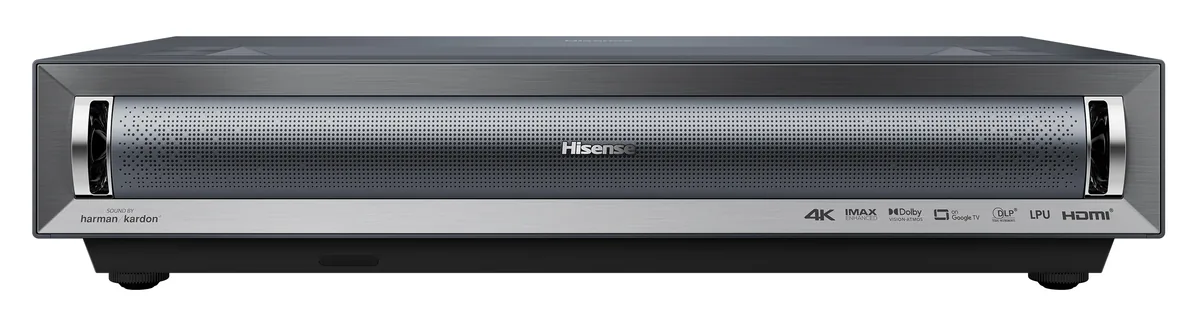
Hisense PX3-Pro projector
Hisense~$2,998

Hisense PX3-Pro

UST laser TV · DLP · 4K pixel-shift

Brightness
3,000lumensANSI
  • 3,000 ANSI lumens
  • Tri-laser, 110% BT.2020
  • Dolby Vision

Best for: Replacing a television in a bright living room without giving up color

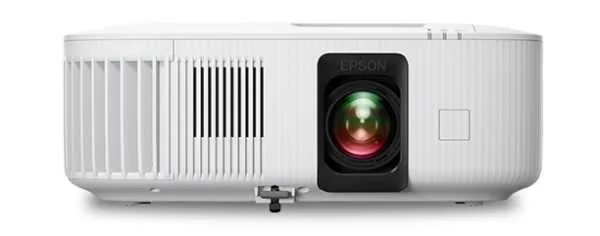
Epson Home Cinema 2350 projector
Epson~$1,399

Epson Home Cinema 2350

Home theater · 3LCD · 1080p

Brightness
2,800lumensISO 21118
Screen at 10 ft
63–103 in
  • 2,800 ISO lumens
  • 1080p, no pixel shift
  • Streaming built in

Best for: A bright living room where a shelf at the back of the room is the only place a projector can go

Related

  • How Big a Screen Should You Get? Start With the Room, Not the Projector

    For 4K content, a screen diagonal of roughly 0.6 to 0.8 times your seating distance fills the field of view the way a cinema does — around 110 to 145 inches from 12 feet back. Then check the projector can physically make that size from where it can sit: image width equals throw distance divided by throw ratio.

  • ALR Screens: What They Reject, and Why Yours Might Not Work

    An ALR screen is directional, not magic. A lenticular UST screen accepts light from below and rejects it from above; an angular-reflective screen for a ceiling-mounted projector does the opposite. Pairing a projector with the wrong type is the most common reason an expensive screen disappoints.

  • How to read a projector spec sheet

    Every specification explained, with the real numbers from the catalog.